Seminar for IT apprentices
IT security fundamentals with practical exercises
What permissions does a user account need? How can you tell whether a file has changed? Which safeguard addresses which risk? The seminar connects basic security concepts with small technical exercises.
At a glance
This seminar is a proposed format. I use the learning objectives, exercises and results described here as a starting point, agree them with you for your group and develop the concept further to suit your requirements.
Participants IT specialist apprentices, as well as apprentices in IT systems management and digitalisation management, particularly at the start of their apprenticeship. Actual prior knowledge determines suitability.
Prerequisites Basic PC skills; initial experience with user accounts, files and business IT applications is helpful. Programming knowledge is not required for this introductory seminar.
Duration Approximately one seminar day; teaching and break times by agreement.
Proposed learning objectives
- Explain confidentiality, integrity and availability using examples.
- Identify unnecessary permissions in a prepared environment.
- Explain the roles of password protection and multifactor authentication.
- Perform a simple integrity check.
- Justify a safeguard clearly.
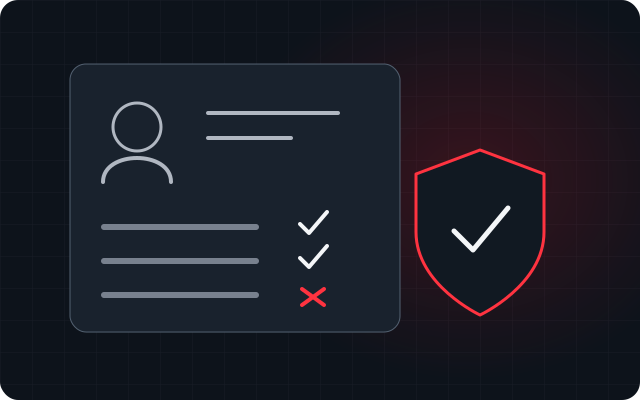
User permissions in everyday work
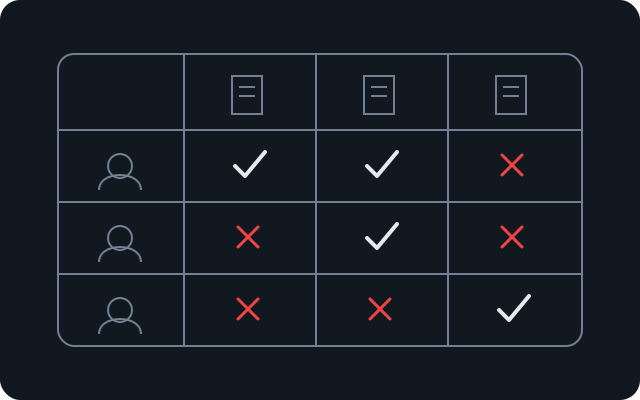
Your apprentices examine user permissions, compare checksums and analyse a short security scenario. I connect the exercises with workplace tasks:
- Access to shared documents: identify who needs which permissions.
- Permissions when an employee changes roles or leaves: identify unnecessary access.
- Handling customer or business data in a prepared exercise: justify suitable safeguards.
This makes the technical concepts relevant to commercial IT tasks too.
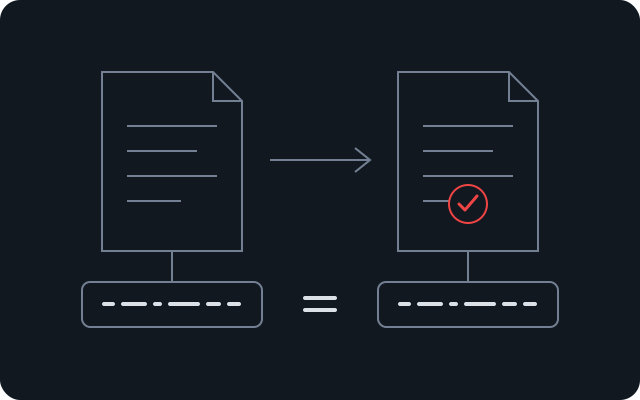
Has the file changed?
An integrity check shows, for example, how to detect changes to a transferred file. Participants compare checksums and explain what a difference means. A checksum can indicate a change; it does not replace checking where a file came from.
Intended result and review
A justified list of safeguards, which I discuss with the participants.
Mixed groups are possible where prior knowledge is suitable. Additional tasks can accommodate different occupational focuses.
Organisation and common questions
Who are the seminars suitable for?
The prerequisites of each seminar matter more than the apprenticeship year alone. We agree the focus and depth around prior knowledge and learning objectives.
How are they delivered?
Preferably live online; in-person delivery by agreement.
What equipment is needed?
We agree workstations, software, permissions and lab access for the chosen module in advance. Exercises take place only on designated lab systems.
Who books?
Training providers or employers responsible for vocational IT apprentices. These pages do not offer public individual bookings.
The seminars supplement vocational training. They do not replace the apprenticeship or the employer’s training responsibilities and do not promise examination results or official certificates.