For schools
Digital security and AI literacy for schools
I design school workshops in which pupils examine digital situations, explain their decisions and check results. We focus on two questions from everyday school life. Who can see my group's files in the school portal? How do I check an AI answer that sounds convincing?
The two workshops are proposed formats from German school year 9 onwards: years 9 and 10, upper secondary education (EF, Q1/Q2) and vocational colleges (Berufskollegs). The learning goals, tasks and results described here provide a starting point. I agree the concepts with you individually and develop them further to suit your group, curriculum and available facilities. Content and depth follow the prior knowledge and learning goals of each group. These descriptions do not imply an equivalence with British or US school grades.
Enquire about a school workshop
Workshop 01
Who can see which folders in the school portal?
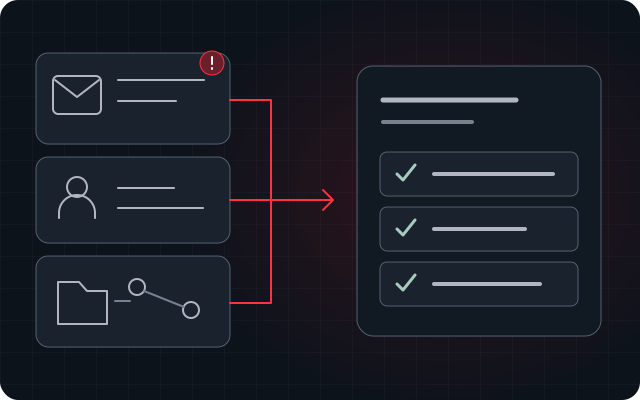
In a fictional school portal, project groups store their files in separate folders. Pupils work out how the portal can make sure only people with permission can see the files.
- Audience
- Upper secondary education (EF, Q1/Q2) and vocational colleges (Berufskollegs). Depending on their prior knowledge, the course may also be suitable from German school year 9 onwards.
- Prerequisites
- Basic experience with digital devices and online services. No programming knowledge required.
- Planned duration
- Three 45-minute lessons; breaks by arrangement. This is a guideline of 135 minutes of teaching. Breaks and integration into the school timetable are agreed separately.
Proposed learning goals
Use the school portal example to explain why it needs to check who can see each folder even after a user signs in.
Compare the folders Group A should be able to see with the folders it can actually see, and explain the difference.
Write an access rule and apply it to one case where access should be allowed and one where it should be denied.
Put it into practice
Example scenario
In the school portal, Folder A is shared with Group A. Folder B is for Group B only. A faulty permission check means Group A can also see the files in Folder B. For each folder, pupils record what Group A is allowed to see and what the portal actually shows. They explain why the portal should deny Group A access to Folder B.
Workshop 02
AI literacy – try, question, verify
AI applications can help explain, write and organise information. Pupils examine how task instructions affect results and how to deal with unclear or incorrect statements.
- Audience
- Upper secondary education (EF, Q1/Q2) and vocational colleges (Berufskollegs). Depending on their prior knowledge, the course may also be suitable from German school year 9 onwards.
- Prerequisites
- No specialist AI or programming knowledge.
- Planned duration
- Three 45-minute lessons; breaks by arrangement. This is a guideline of 135 minutes of teaching, with breaks agreed separately.
Proposed learning goals
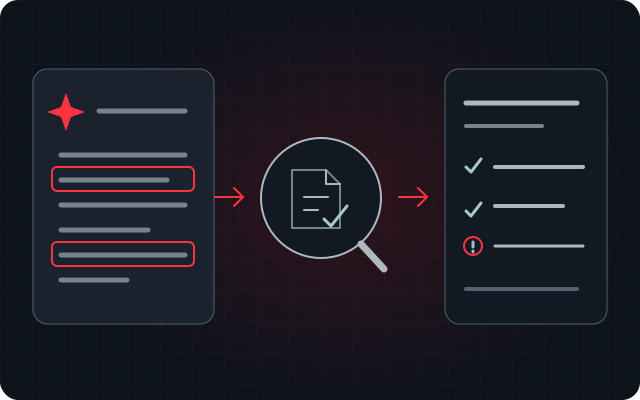
Select two verifiable statements from an AI answer and use suitable sources to confirm, correct or mark them as unresolved.
Compare two differently worded task instructions and explain, using agreed criteria, which produces a more usable result.
Explain, using a school-related case, which information can be provided to an AI application and which details should be left out.
Put it into practice
Example learning task and tangible result
The group examines an AI-generated learning text on an agreed teaching topic. Learners mark verifiable claims, check selected statements and improve the task instruction. At the end, they record what the AI supported and which decisions remained theirs.
Adapt the depth
Extensions based on prior knowledge and learning goals
For the school portal, we can also decide who may edit files in a folder and which folders teachers who teach several classes should be able to see. In AI literacy, we can examine data flows or selected properties of an AI application.
For all target groups, I agree possible extensions based on actual prior knowledge and learning goals. School year or programme alone does not determine the depth. Additional content may require changes to the duration.
Exercises use sample data and designated practice systems. Production school systems are not test targets for this offer.
Plan together
How I plan the workshop with you
I agree the learner group, curriculum context and learning goals with you.
We clarify materials, technology, timetable and teacher support.
I combine explanations, guided exercises and group tasks.
We discuss the results and check understanding with a short task.
The workshops are designed as in-person formats; we adapt content and structure to your group. Delivery in the Bonn, Cologne and Rhein-Sieg region is possible by agreement. We agree the teaching language and organisational conditions in advance. The English website does not automatically imply delivery in English.
This offer addresses teachers, subject departments, coordinators and school leadership. There is no individual-place booking for pupils or parents. The contact person need not be the contracting party; the specific institution or its legally authorised contracting entity will be clarified in the proposal.
Organisation
Frequently asked questions
Which school years are the workshops suitable for?
The workshop concepts address groups from German school year 9 onwards: years 9 and 10, upper secondary education (EF, Q1/Q2) and vocational colleges (Berufskollegs). I agree content, tasks and extensions for each group based on prior knowledge and learning goals.
How long does a workshop last?
The guideline is three 45-minute lessons: 135 minutes of teaching. Breaks are agreed separately.
Does everyone need a computer?
We agree device allocation and tasks beforehand. Group work and shared demonstrations may form part of the agreed approach.
Are personal AI accounts required?
I plan the workshop without requiring private accounts with external services. Applications and access are agreed with the school.
What is the teacher's role?
We clarify curriculum context and prerequisites together. A teacher accompanies the event as the school's contact person.
What group size is possible?
We agree participant numbers, equipment, exercise format and support needs in advance.